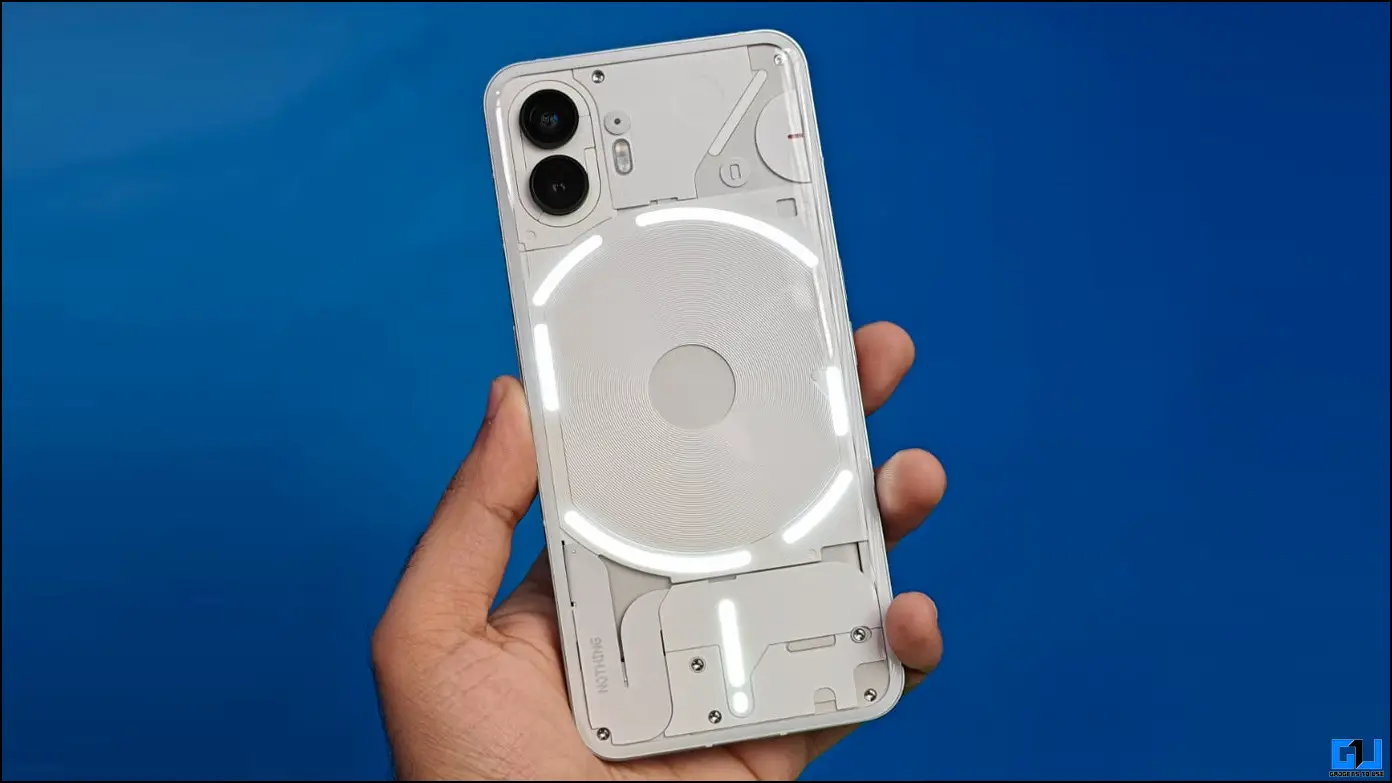

After the success of Nothing Cellphone 1 (assessment) got here its successor, the Nothing Cellphone (2). The cellphone affords a premium expertise and an enhanced glyph interface with 33 customizable zones. Just like the Cellphone 1, there’s additionally a hidden Music Visualisation mode on the Nothing Cellphone (2), and here is how one can allow the identical.
Allow Music Visualisation on Nothing Cellphone 2?
Just like the Nothing Cellphone (1), the Music Visualisation function on the Nothing Cellphone (2) lights up and syncs the Glyph LEDs on the again with any audio playback via the audio system. This appears cool and provides life to your home get together with a disco-like really feel. It may be unlocked on the Nothing Cellphone (2).
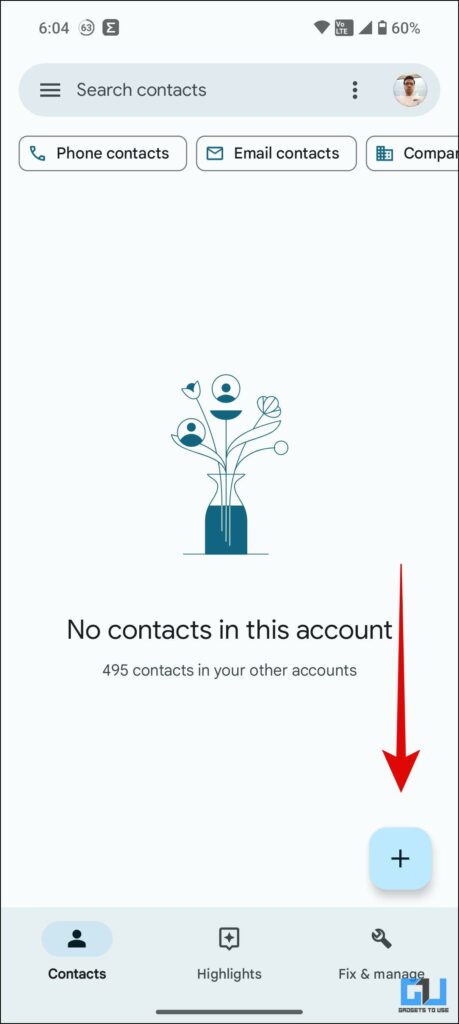
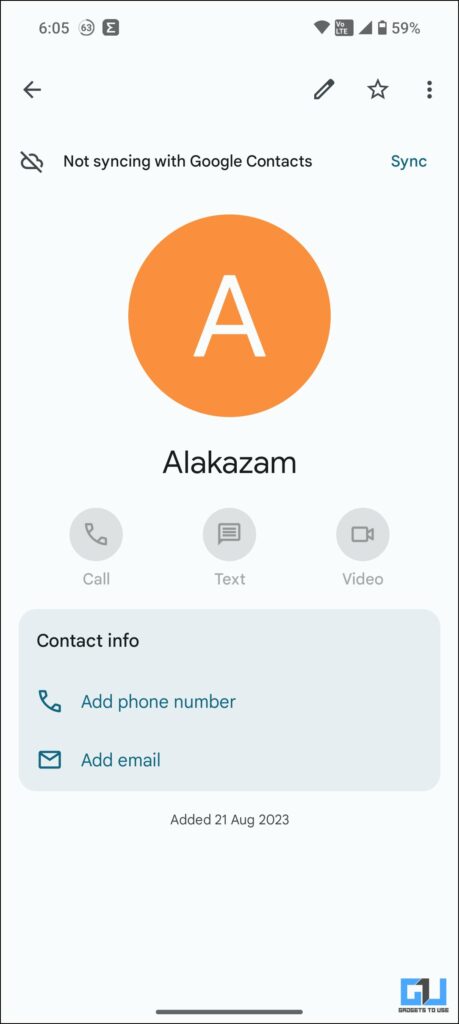
1. Go to the Contacts app, and faucet the Plus button to create a brand new contact.
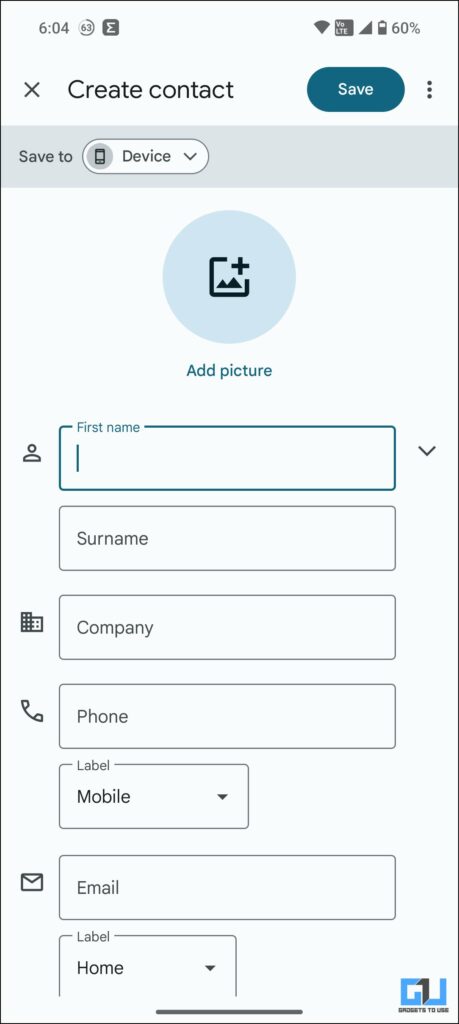
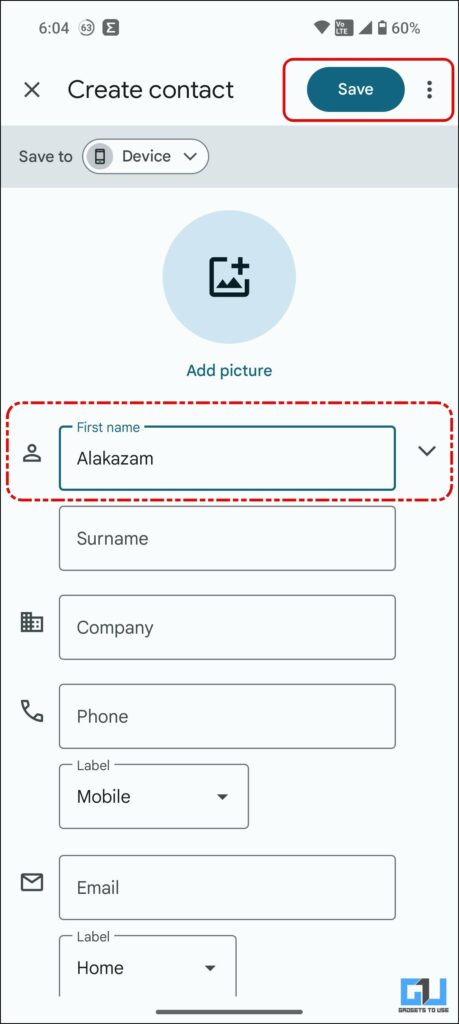
2. Enter the contact title as Alakazam, and faucet the Save button.
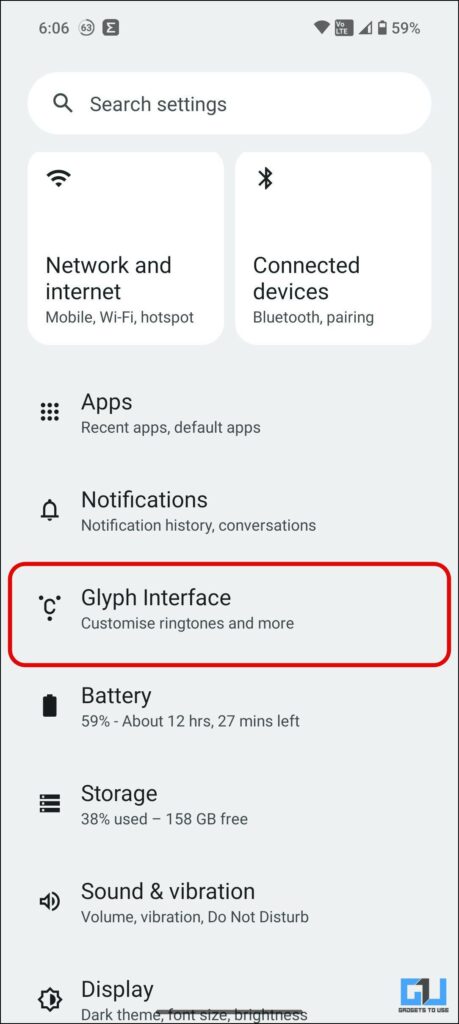
3. Go to the Glyph Interface from Settings and faucet Ringtones.
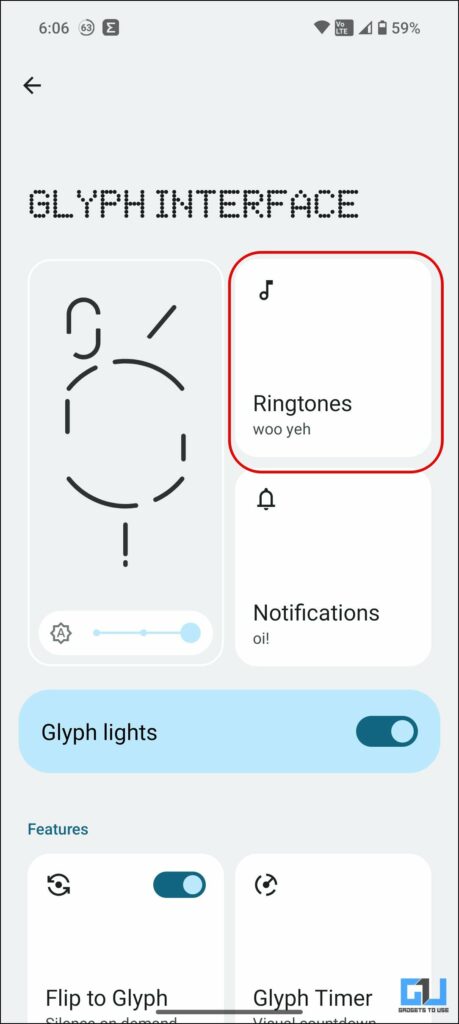
4. Beneath Ringtones, faucet on Add Contact, and choose Alakazam.
5. Assign a ringtone to Alakazam, and save it.
6. It will unlock the Music Visualisation function on the Nothing Cellphone 2 within the Glyph Interface.
7. Allow the toggle for Music Visualisation to activate it.
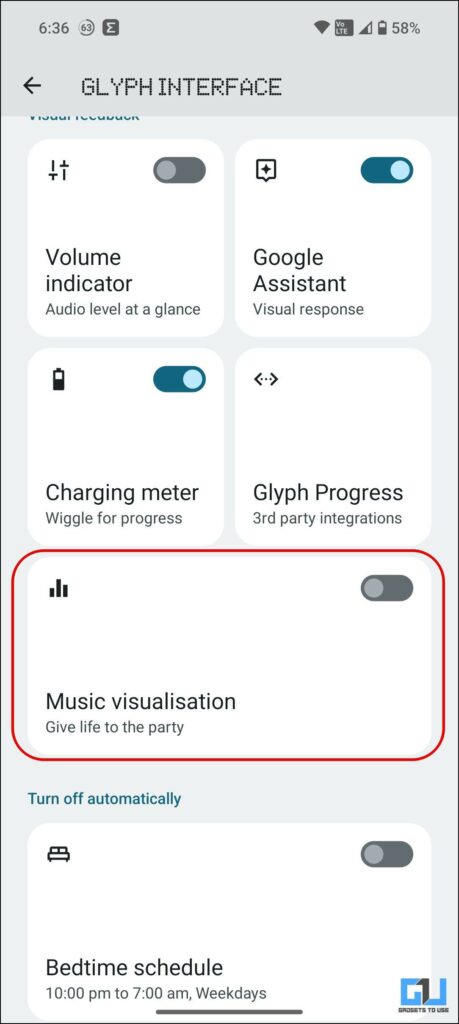
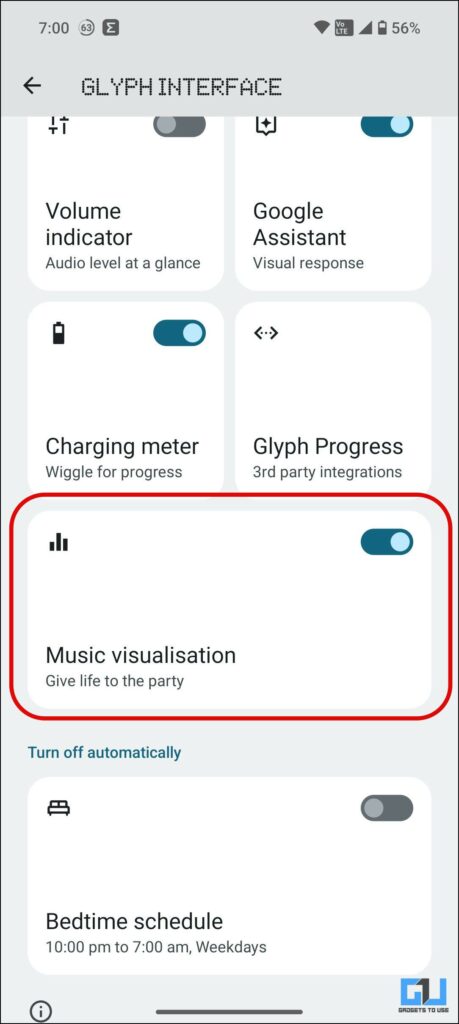
It will mild up and sync the Glyph Interface lights with the music performed via the audio system on the Nothing Cellphone (2).
FAQs
Q. Allow Music Visualisation on the Nothing Cellphone (2)?
To unlock the Music Visualisation, you have to create a brand new contact named Alakazam and assign a ringtone to it. It will unlock the hidden Music Visualisation on the Nothing Cellphone (2).
Q. Will Glyph Music Visualisation Get Disabled if I Delete the ‘Alakazam’ Contact?
No. Deleting the Alakazam contact won’t disable the Music Visualization function on Nothing Cellphone (2). It’s an easter egg, which stays even after you delete the contact out of your Nothing Cellphone (2).
Q. How Do I Sync Glyph Lights With Music on Nothing Cellphone 2?
You should unlock the hidden Music Visualization function to sync the Glyph lights with the music playback on the Nothing Cellphone (2). Observe the above-mentioned steps to activate it.
Wrapping Up
So that is how one can unlock the key music visualization function on the Nothing Cellphone (2) to sync the Glyph lights with any music or audio playback through the audio system. With the Nothing Cellphone (2), the Glyph affords helpful new options just like the Glyph Progress bar (for Zomato and Uber), Quantity Indicator, and Glyph timer. Keep tuned to GadgetsToUse for extra such reads, and verify those linked beneath.
You could be within the following:
You may also observe us for fast tech information at Google Information or for ideas and methods, smartphones & devices evaluations, be a part of GadgetsToUse Telegram Group or for the newest assessment movies subscribe GadgetsToUse YouTube Channel.